I’m going to tell you a story that most IT companies won’t tell you, because most IT companies haven’t lived it. I have. Multiple times. And I’m here to tell you, what actually happens when ransomware hits your business looks nothing like what you think it does.
It’s not a movie. There’s no dramatic countdown clock on a red screen. There’s no hacker on the phone making demands. It’s worse than that. It’s slow, it’s expensive, it’s confusing, and it grinds your entire operation to a halt in ways you can’t prepare for until you’ve been through it.
So let me walk you through exactly what it looks like. Not hypothetically. A real company, a real attack, and real dollar amounts.
The Phone Call
It was for a company we’d done a mail migration for previously. They weren’t a managed services client of ours. They had their own sysadmin who worked out of state, remoted into their systems. Good guy. But he called us one day because one of their servers was offline and he couldn’t figure out what was going on.
So we sent one of our engineers over. And I’m going to be honest, it took about ten seconds once our guy was on site to realize this wasn’t a server issue. This was ransomware.
Here’s the thing most people don’t understand about that moment: there’s no playbook sitting on someone’s desk. There’s no binder that says “open in case of ransomware.” The sysadmin didn’t know what he was looking at. He just knew a server was down. That’s how it starts for almost every company: not with an alarm, but with confusion.
The First 24 Hours: Everything You’d Do Is Wrong
Now, your first instinct when something goes wrong with your technology is to fix it, right? Reboot the server. Restore from backup. Get things running again. Every minute you’re down is money.
That’s not how it works with ransomware.
The very first thing I told them, before we touched a single server, before we tried to recover anything, was to call their insurance company. Not their IT vendor, not their lawyer, not the FBI. Their insurance company.
Why? Two words: subrogation issues. If you start recovery before your insurance company is in the loop, they can deny your claim. They can say you tampered with evidence. They can say you didn’t follow proper procedure. And now you’re eating the entire cost yourself.
So we called insurance. And that’s where the real nightmare started.
The Insurance Process Nobody Prepares For
Here’s what the insurance company told them: you need to pick a lawyer from our approved list, and you need to pick a forensics company from our approved list. Not your lawyer. Not a forensics company you’ve vetted. Their list.
Now picture this: you’re a manufacturing company, you’re hemorrhaging money, your production floor is dead, your people are standing around with nothing to do, and you’re scrolling through a list of law firms and forensics companies you’ve never heard of, trying to pick one. It’s like being handed a phone book in the emergency room and told to pick your own surgeon.
They picked at random. Didn’t have time to vet anyone. And honestly, it showed.
The forensics company took three full days just to assemble their team and get started. Three days. Not three days to fix things, but three days before anyone even began looking at the problem.
You know what three days costs a manufacturing company? This company was losing an estimated $100,000 per day in production. So before a single recovery action was taken, they were already $300,000 in the hole.
And here’s the part that really gets me: the forensics company was underwhelming. I don’t say that to be harsh, but our team had to hold their hands through the process. They worked remotely, they didn’t send a team on site, and at the end of it, the company was left with this feeling that the investigation wasn’t thorough. You never fully trust your systems again after something like this, and when the forensics feels incomplete, that feeling is ten times worse.
The Recovery (It’s Not What You Think)
So after the forensics team does their initial assessment, you’d think recovery starts, right? Just restore from backup and move on?
Not even close.
First, and this is critical, you can’t recover onto your existing hardware. The insurance company and forensics team may need to preserve the state of those machines for the investigation. Your servers, your workstations, your network equipment: it’s all potential evidence now. You can’t wipe it. You can’t reformat it. You can’t touch it.
So where do you recover to?
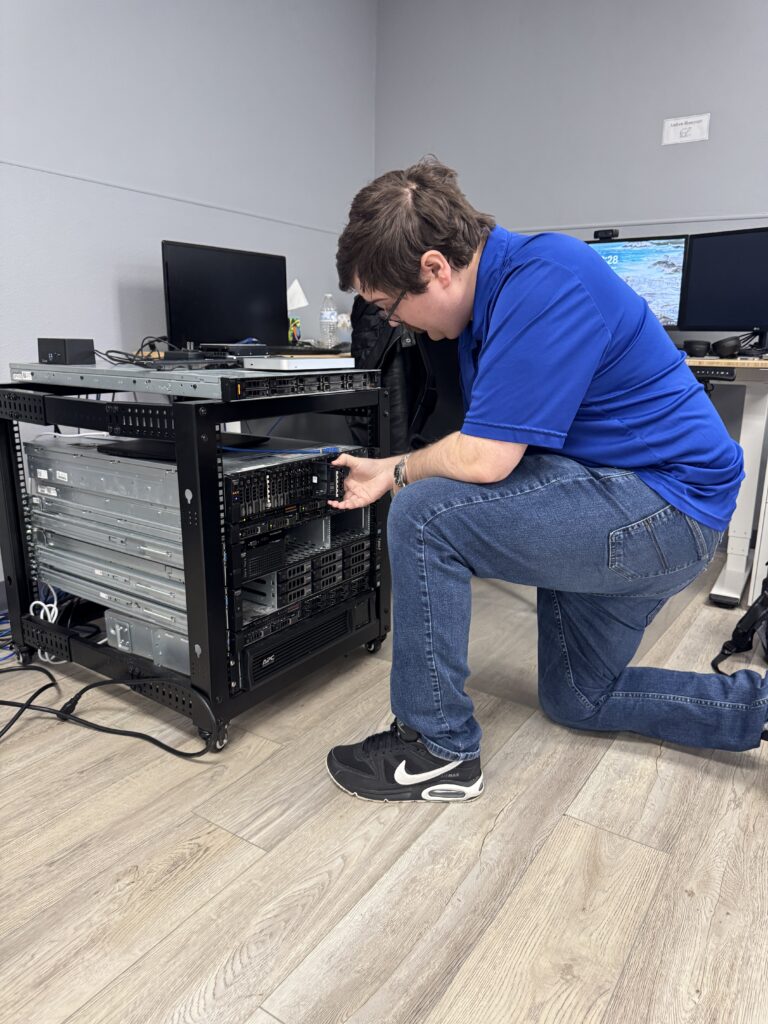
At ArcLight, we maintain over $100,000 worth of cold spare servers sitting in racks for exactly this scenario. When our managed clients get hit, we can spin up clean hardware immediately. This company wasn’t a managed client, so they didn’t have that. They ended up paying us $1,000 per month per loaner server for three months while they got back on their feet. And they needed multiple servers.
Now, the good news: they had backups, and the backups were recoverable. That’s the single thing that saved this company. If those backups had been compromised, we’d be having a very different conversation.
But here’s where it gets complicated. Not every server was in the backup plan. Some servers had to be rebuilt from file copies, which is messy, time-consuming work. And they had in-house developed software, a custom CRM their business ran on. If that had been lost, if those backups hadn’t been there, it would have been catastrophic. You can’t just re-download custom software. It’s gone.
The forensics eventually revealed that the attackers got in fast and kicked off the encryption fast. They hadn’t embedded deep into the backups, and the window was less than 24 hours. That was lucky. That’s not always the case.
But even with recoverable backups, they still had to rebuild almost every desktop in the company. Remote workers had to ship their laptops back and forth for reimaging. The whole thing took months, not days.
The Hidden Costs Nobody Talks About
Let me add up the real numbers here, because I think people need to hear this:
- Lost production revenue: $100,000/day for multiple days
- Forensics and legal fees: Tens of thousands (paid through insurance, subject to sub-limits)
- Loaner server costs: $1,000/month per server, multiple servers, three months
- IT labor for recovery: Hundreds of hours across multiple engineers
- Desktop rebuilds and reimaging: Every workstation in the company
- Shipping costs for remote worker laptops: Back and forth, multiple employees
- Lost customer confidence: Incalculable
That last one is the one that keeps CEOs up at night. Here’s the reality: you cannot hide a ransomware attack past 24 hours. Your customers know you’re down. Your vendors know. Your partners know. If you’re a manufacturer and your production stops, everyone in your supply chain feels it immediately.
And reputation damage doesn’t heal fast. It’s not like you come back online and everyone forgets. For years afterward, you’re “the company that got hacked.” That affects deals. That affects partnerships. That affects the talent you can recruit.
The Insurance Trap
I need to talk about insurance for a minute, because I’ve watched too many business owners fall into this trap.
So you have a cyber liability policy. Good. You probably think you’re covered. Here’s what you probably don’t know:
Sub-limits. Your policy might be $4 million. That sounds great. But buried in the fine print, there’s a sub-limit for ransomware events, and it might be $100,000. On a $4 million policy. That’s not a typo. It’s shocking how many business owners have no idea what their actual ransomware coverage is.
Now here’s the CFO math problem I see all the time. CFO looks at the numbers and says: “My insurance costs $300,000 a year for a $20 million policy. If we get hit, insurance pays. That’s what it’s for.” And on paper, that math works.
But here’s what the CFO isn’t thinking about: what happens after the claim? You get dropped. Your carrier doesn’t renew your policy. And when you go shopping for new coverage, your premiums aren’t going up 10% or 20%. I’ve seen premiums go up 10 to 30 times. Your $300,000 policy is now $3 million. Or you simply can’t get coverage at all.
That’s the part nobody models in their risk calculation.
It’s Not Just Ransomware. It’s Everything That Comes With It
I want to briefly mention another case, because it illustrates a different angle. We worked with a hospital that got hit with ransomware. They actually bought the decryption keys from the attackers. And I’ll tell you, the process of buying those keys was surreal. It was like calling a support center. The attackers had customer service. They had a portal. They were professional about it.
But here’s the thing: even after paying for the keys and getting their data decrypted, they were still recovering years later. Buying the keys doesn’t mean everything goes back to normal. The systems are still compromised. The trust is still broken. The rebuilding still takes forever.
(We have a detailed case study on that incident if you want the full story.)
What Separates Companies That Survive From Those That Don’t
After 30+ years in this industry and seeing dozens of these incidents, I can tell you exactly what separates the companies that survive from the ones that don’t. It comes down to three things:
1. Backups that are actually separate from your network.
I cannot stress this enough. If your backups are on the same network as your production systems, you don’t have backups. Period. And here’s where people get tripped up: they think “offsite backup” means they’re safe. But if that offsite backup is connected through a VPN tunnel back to your main network, it’s the same network. The attackers can reach it.
I’ll give you a real example. There was an asphalt company in Tulsa, Oklahoma, that had offsite backups. Smart, right? But the admin password for those offsite backups was the same password as everything else on the network. The attackers enumerated it. Found the backups. Encrypted those too. Game over.
Your backups need different authentication, different encryption keys, and a completely separate pathway from your production environment. That’s non-negotiable.
2. Endpoint detection and response (EDR) on every machine.
Traditional antivirus is an abacus in a calculator world. EDR watches behavior, not just signatures. It can catch ransomware in the act and isolate a machine before the encryption spreads. It’s not perfect, but the difference between having it and not having it is massive.
3. A relationship with an IT partner before you need one.
That manufacturing company called us because they’d worked with us before. But they didn’t have a proactive relationship. They didn’t have our monitoring on their systems. They didn’t have our cold spare servers allocated. They didn’t have an incident response plan. Everything was reactive, which means everything was slower and more expensive.
The companies that survive ransomware are the ones who decided, before the attack, that they were going to take it seriously.
What You Should Do This Week
I’m not going to end this with vague advice. Here’s what I’d do if I were you, this week:
Monday: Call your insurance broker.
Ask them specifically: what is my sub-limit for ransomware? What is my sub-limit for business email compromise? What is my actual out-of-pocket exposure in a cyber event? If they can’t answer clearly, that’s a problem.
While you’re at it, ask about business email compromise coverage. Here’s a scenario that keeps me up at night: an attacker gets into your email, watches your invoicing patterns for weeks, and then sends a perfectly formatted $500,000 invoice to your biggest customer from your actual email address. Your customer pays it. That money is gone. And now your biggest customer doesn’t trust you. Are you covered for that?
Tuesday: Check your backups.
Not “do we have backups?” but “are our backups on a completely separate system with different credentials?” If your IT person hesitates or says “well, technically…” then that’s your answer.
Wednesday: Ask about EDR.
If your current IT provider has you on traditional antivirus, ask why. If the answer involves cost savings, find a new provider.
Thursday: Run a phishing test.
I’m serious. Send a simulated phishing email to your team and see what happens. I’ll tell you a story on myself. I’ve fallen for one of our own phishing tests. It happens. The point isn’t to shame anyone; it’s to know where you stand and train from there.
Friday: Schedule an assessment.
We do a free 27-point IT Risk and Ransomware Assessment. It takes about an hour and it’ll show you exactly where your gaps are. No hard sell, no obligation. I’d rather have an uncomfortable conversation with you now than an emergency phone call later.
Here’s the Bottom Line
Ransomware isn’t a technology problem. It’s a business survival problem. The technology part (the encryption, the malware, the exploit) is just the trigger. The real damage is the days of downtime, the insurance chaos, the forensics circus, the hardware you can’t touch, the customers you can’t serve, and the reputation you spend years rebuilding.
I’ve been doing this for 30+ years in Tulsa. I’ve walked into server rooms where everything was encrypted and watched business owners realize their entire company was at stake. I’ve also walked into companies where we had the right protections in place and stopped an attack before it became a story.
The difference between those two outcomes isn’t luck. It’s preparation.
If you want to talk about where your business stands, call us at (918) 270-6600 or schedule a free assessment. I’d genuinely rather spend an hour with you now than get that emergency phone call at 2 AM.
Brian Largent is the founder and CEO of ArcLight Group, a managed IT and cybersecurity firm based in Tulsa, Oklahoma. ArcLight serves businesses with 10-100+ computers across Oklahoma and beyond, with a focus on keeping companies running, secure, and compliant.

Brian Largent
Father to five, husband to one, founder, CEO, and all around swell fella (or so I'm told)