Not every business needs, wants, or can afford a full managed IT contract. If you run a small shop, a startup, or a team of five, you may only need someone to call when a laptop dies or the printer stops talking to the network. That is what on demand IT support is for. You get help when you need it, you pay for the time you use, and you do not commit to a monthly plan you may never use.
This guide explains how on demand IT support works, what it does well, where it falls short, and how to build a setup that protects your business without a big monthly bill.
What Is On Demand IT Support?
On demand IT support means you get help from a provider when something comes up and pay for the work, instead of a fixed monthly fee. You may also hear it called pay-as-you-go or pay-per-minute support. The provider is not watching your systems or fixing problems before you notice them. You reach out, they work the issue, and you pay for the time it took.
That makes it different from managed IT, where a flat monthly fee covers proactive monitoring, maintenance, security, and ongoing support. Managed IT is built to prevent problems. On demand support is built to fix them quickly, and you only pay for the time you use.
Who Pay-by-the-Minute Support Fits
- Startups and new businesses that need a safety net before they can justify a monthly plan.
- Businesses with a capable person in-house who handle most things but need an expert for the occasional hard problem.
- Businesses in between providers that need help now while they decide on a long-term setup.
Many IT firms have monthly minimums that put them out of reach for the smallest businesses. Support you can buy by the minute from a prepaid balance fills that gap.
How ArcLight’s On Demand Support Works
ArcLight sells on demand support as a prepaid retainer through the eStore, with three support lanes matched to the kind of problem you have. You pick the lane that fits, so you are not paying emergency rates for routine fixes.
Help Desk: Everyday Fixes
This lane covers the day-to-day problems end users run into: slow computers, software installs, printer issues, and whitelisting. You submit a request by email, and support is available by call-back and remote session. Requests are worked in the order they arrive, so this lane is built for routine problems, not emergencies.
Engineering and Projects: Work That Needs Senior Skill
When the job is bigger, such as network design, a migration, or server configuration, this lane puts a senior engineer on it. You start with an email request, and a scheduling link lets you book an engineering consultation so the scope is clear before work begins.
Emergency Support: When the Business Is Down
For the moments when work has stopped, there is a dedicated emergency phone line that goes to the top of the queue. It carries a one-hour minimum per incident, billed per minute after that, and any call to the emergency line is billed at the emergency rate. That is why routine requests belong in the support email instead.
Rates for each lane are listed on the ArcLight eStore, where you can fund a prepaid retainer. Your balance is your spending cap, nothing is billed after the fact, and you are working with a Tulsa-based, US-staffed team.
How to Keep On Demand Costs Under Control
- Use the right lane. Save the emergency line for real outages and send everything else through help desk.
- Batch non-urgent requests. Several small issues in one request are easier to work through than a trickle of separate ones.
- Describe the problem clearly. Error messages, screenshots, and what changed recently save time, and time is what you are paying for.
- Ask about the cause. If the same issue keeps coming back, fixing the root cause is cheaper than fixing the symptom every month.
- Scope bigger jobs first. For project work, use the consultation to agree on what is included before the clock starts.
What On Demand Support Does Not Do
Here is what to know about how it works. On demand support is reactive by design: it responds when you call, and it does not monitor your systems, apply updates, or watch for threats between requests. The basics still matter whichever way you buy support, and both the CISA’s guidance for small businesses and the FTC’s small business cybersecurity resources are good places to check that you are covering them.
You can cover those areas one module at a time. The eStore is built so you add only what you need.
Add Endpoint Protection
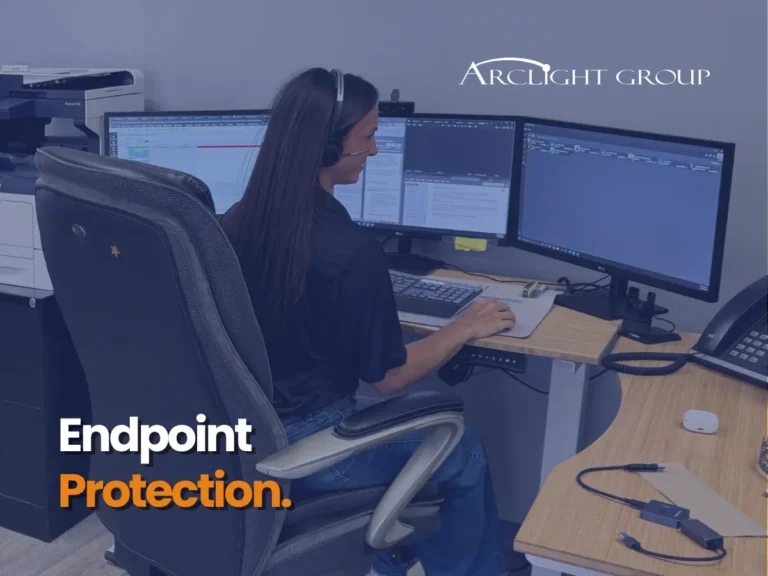
The ArcLight Security Suite is endpoint protection sold per endpoint in three tiers. Assistant includes next-gen antivirus, EDR, and automated incident response. Vice President adds vulnerability and patch management. President adds managed threat hunting and 24/7 managed detection and response, backed by a human-powered SOC. You can start with the tier that fits your risk and step up later.
Add Backup
Data Fortress Keep backs up on-premise workstations and servers direct to the cloud, with failure alerting built in. If a backup quietly stops working, you find out before you need it.
Pick one module or all three. There are no mandatory bundles and no long-term contracts, so you can build the setup that matches your budget and add to it as the business grows.
When to Move Up to Managed IT
On demand support works well for many small businesses, and some outgrow it. Consider moving to managed IT if any of these start to sound familiar:
- You are opening tickets every week, and the on demand bill is starting to look like a monthly plan.
- Downtime is getting expensive. Prevention costs less than repeated emergencies.
- The business is growing. More people and more systems mean more that can go wrong.
- Customers or insurers are asking about your security. Questionnaires about MFA, backups, and endpoint protection are easier to answer with someone managing it.
- You want someone watching, not just responding. Proactive monitoring and patching are what managed IT adds.
If that is where you are headed, see how our managed IT services work, read what managed IT costs in Tulsa, or look at co-managed IT if you already have someone in-house.
Frequently Asked Questions
What is on demand IT support?
On demand IT support is help from an IT provider when you need it, paid for by the time used instead of a fixed monthly fee. You contact the provider when a problem comes up, and they work it and bill you for the work.
How does pay-by-the-minute IT support work?
You fund a prepaid retainer and choose the support lane that fits your problem, such as help desk for everyday fixes, engineering for projects, or an emergency line for outages. Time is billed by the minute against your balance, and ArcLight invoices a top-up when the balance runs low.
Is on demand IT support cheaper than managed IT?
It depends on how often you need help. If your needs are occasional, paying for time as you use it is usually cheaper. If you need support frequently or want proactive protection, a managed plan often delivers better value. Looking at how many issues you had over the past six to twelve months is a good way to compare.
Do I need a contract for on demand IT support?
ArcLight’s hands-on support runs on a prepaid retainer, a balance you fund up front and draw down by the minute. It is not a monthly plan.
What if my business is completely down?
Use the emergency support line. It goes to the top of the queue, with a one-hour minimum per incident and per-minute billing after that.
Can I buy IT support online?
Yes. ArcLight’s retainer, endpoint protection, and backup are all available through the eStore, and you can talk to the team if you would rather have help choosing.
Get Help When You Need It, Without the Monthly Commitment
If you want help the moment something breaks, fund a retainer on the eStore. If you are weighing on demand support against managed IT, talk to ArcLight and ask about the free 27-point IT Risk Assessment.
By Brian Largent, CEO & System Architect

Brian Largent
Father to five, husband to one, founder, CEO, and all around swell fella (or so I'm told)