A quick word on the dark web
The dark web is the part of the internet that standard search engines do not index. You cannot reach it with Chrome and a Google search. You need specialized software, usually the Tor browser, which bounces your traffic through layers of encryption so both the user and the sites they visit stay anonymous.
It lives inside the larger “deep web,” which is just the enormous pile of pages search engines never index: private databases, email accounts, anything behind a paywall or a login. What sets the dark web apart is that the concealment is on purpose. Sites use non-standard addresses like .onion domains and hide where their servers physically sit.
That anonymity cuts both ways. It protects journalists, whistleblowers, activists, and people living under censorship or surveillance. It also gives criminals a place to run markets for drugs, stolen data, and other illegal goods and services. So the dark web is not really one place. It is a set of tools and networks built to make online activity hard to trace, used for both legitimate protection and crime.
Put more plainly: the dark web is an alleyway where bad businesses set up shop and bad customers go shopping.
Today I want to focus on one product sold in that alley: compromised logins and passwords. Rather than walk through this in painful technical detail, I am going to tell you Carl’s story.
Meet Carl
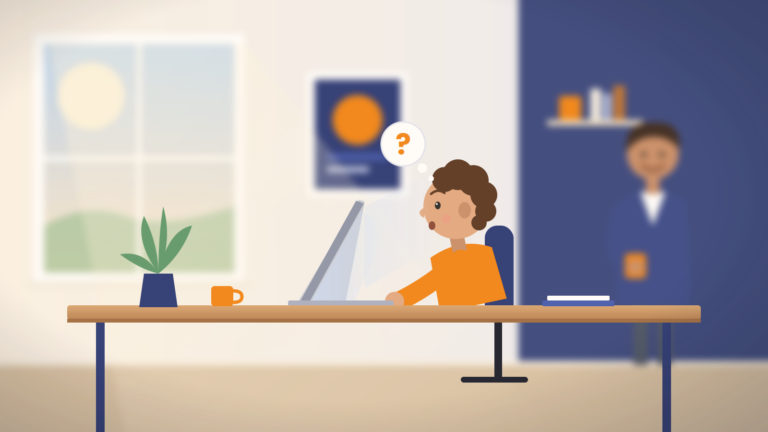
Carl worked at ABC Company, 986 employees across four locations, as a data entry analyst. Every day Carl came in and ground through phone orders, keying them by hand into Order Master Gold (OMG), the system that ran procurement for the whole organization. Log in to his computer, log in to OMG, go.
Carl had a number to hit. Forty-two orders a day. As long as he hit it, he stayed out of trouble and in the bonus pool.
The “trick”
One morning Carl logged in and the computer told him to change his password again. This happened every ninety days or so, and it used to drive everybody nuts. Thirteen characters, a capital letter, a number, and a special character. Hard to remember.
When the policy first rolled out, one of Carl’s colleagues shared a shortcut. Pick a memorable word or name. Capitalize the first letter, end it with a # and the number 1. When it expires, bump the 1 to a 2. Now you never have to think about it again, and if you forget, you can probably guess it before the fifteen-minute lockout or the shame of calling the help desk.
By now Carl was on #8. Eight changes, ninety days apart, two years since the policy went live.
Carl, being efficient, took it one step further. If he had to change the work password anyway, why not change everything to match? A bit of work up front, but then one password for everything and no more resets to worry about.
His work login was easy. OMG, Microsoft 365 email, and Teams all used single sign-on, so they updated to the same password automatically. One less thing to remember. Then Carl reset his bank accounts, Facebook, Instagram, his subscription to Small Aquarium Digest (SAD), and a few other sites he used regularly. All matched. Super efficient.
Four weeks later
Thursday morning, four weeks after the change, Carl walks in and people are standing around away from their desks. He asks Linda from accounting what is going on. “We had a security incident. Everything is disconnected from the network. IT and some outside group are going through every computer to clean them up so we can get back to work.”
A few hours later the CEO sends everyone home. Email and system access are down until further notice. He hands out a Gmail address for urgent business, a phone number to call, and asks that if customers ask, employees just say the company is having a system outage and that updates will follow.
Carl, a little annoyed but not upset about a surprise day off, heads home.
The rebuild
Friday Carl is back. At the door an IT person hands him a temporary password. He logs in, gets prompted to set a new one, and, being Carl, sets it to “ABCCompany#9.”
The computer feels brand new. No desktop files, no browser favorites, no Spotify, just Microsoft Office and OMG on a clean machine. Carl starts putting things back. He downloads Spotify, tries to install it, and gets an error. So he calls the help desk.
“Yeah, I can’t get Spotify to install after you guys did something to my computer.”
Stan on the help desk tells him only approved applications are allowed now, and Spotify is not on the list. Bummer. Carl gets to work.
His inbox is buried. New orders, service questions, and one from Small Aquarium Digest titled “Breach Notification.” That one catches his eye, so he opens it first.
Turns out SAD got hit. Logins, unencrypted passwords, and financial information were accessed by outsiders. Because Carl’s email was in the breach, they wanted him to know he should change his passwords.
Carl does not worry about it. He already changed his password. He files it in the archive folder and moves on.
The meeting that never happened
A little later an Outlook popup announces an all-office meeting in the atrium. Carl grabs a soda and finds a spot next to Linda. Linda tells him the CEO is going to explain what happened. Carl already knew that, since it was in the invite, but he did not point it out, because he knew how much Linda enjoyed knowing things.
Time passes. No CEO. More time passes. Still no CEO. Finally the IT Director comes out and tells everyone to gather their things and not to log back into their computers, because the problems are back and have to be resolved first.
Carl is stunned. So is Linda, especially since she “knows things” and did not know this.
So what actually happened?
Small Aquarium Digest got breached, and that handed the attacker Carl’s work email address, because that is what he used to register on their site. Carl had also used his work password on SAD. The same password he used to log into his computer.
Because OMG ran on single sign-on, it used that password too. So did Microsoft 365. Both OMG and Microsoft 365 were reachable from the internet. And because a lot of employees used the VPN, which also used single sign-on, the VPN was in play too.
When ABC Company rebuilt from backup after the first incident, the attackers just waited. They already knew the systems, the applications, and the access methods. They had hundreds of email addresses and passwords, all in the format “Password#9.”
They did not need to be clever. They tried the next version. “Password#9” became “Password#10.” And they were right back in.
What it cost ABC Company
After the first incident, the internal IT team had put some controls in place that limited the second round of damage. But damage still happened. The attackers blasted thousands of emails through compromised Microsoft 365 accounts, pulled customer data out of OMG, and more. The endpoints themselves came through mostly intact thanks to controls applied to each device, but the reputational hit multiplied.
The insurance carrier started rethinking whether it wanted ABC Company as a client. Lenders and investors stopped seeing the company as a safe bet. And the forensic team traced it all back: every compromised account on the dark web, and the entry point.
SAD had exactly one ABC Company email registered. One. That single account was the foothold the first time, and the same account that let them back in the second time.
Carl’s day went from bad to worse.
How you actually protect against this
As the story shows, there is no single fix. The term we use is defense in depth. You stack multiple layers so no one failure sinks you.
It starts with multi-factor authentication (MFA) on every device, website, and application that supports it. Even if Carl’s password is floating around the dark web, MFA puts one more wall between the attacker and your systems.
On top of that we add email security that watches inbound and outbound mail for anomalies and threats and shuts them down. This is more than spam filtering, though spam filtering is part of it. It includes Identity Threat Detection and Response (ITDR), which flags things like an account logging into Microsoft 365 from Tulsa, Oklahoma and then trying to log in from Abuja, Nigeria five minutes later.
Those are the quick hits. There is more: endpoint protection, security information and event management (SIEM), and Security Orchestration, Automation, and Response (SOAR). Plus a real backup system that encrypts data at rest and in transit, keeps onsite and offsite immutable copies, and more.
Does every business need all of it?
YES, every organization needs all protection. NO, not every organization can afford everything. We get that.
That is why we help clients weigh their actual risk and build something that fits where they are today. Too many IT companies, in-house teams included, ignore the budget entirely. They say that without everything, you cannot protect against anything. That is not true. There are strong starting points that cover roughly 80% of the threat picture at about 10% of the cost.
The key is knowing your organization’s risk, your recovery objectives, and how much downtime you can actually tolerate. Get clear on those three things and you can often hit your risk targets for a lot less than you would expect.
We can help
Not sure where to start? ArcLight can get help get you there. Give us a call at (918) 270-6600 or visit arclightgroup.com.

Brian Largent
Father to five, husband to one, founder, CEO, and all around swell fella (or so I'm told)